 Studsmith
Your first Roblox game, today.
You do not need to know how to code. Pick a kind of game, choose a look, and Studsmith builds a complete, working game you can play in Roblox Studio in minutes. Then change anything just by asking.
A finished game from the first click
New games start from complete, tested starters: a themed world, checkpoints, saving, a timer, a clean screen. It already works before you type a word.
It looks like a real game
Nine ready-made looks, from Lava to Candy to Space, set the lighting, colours and scenery. No flat green field, ever.
Everything is set up for you
One installer. Studsmith installs what it needs, connects to Roblox Studio by itself and puts your game there. Nothing to configure.
You always know what is happening
A live checklist ticks off as it works, files fill in as they are written, and every reply ends with exactly what to press to try it.
It checks its own work
Every script is checked against the real Roblox engine, then Studsmith presses Play itself, reads any errors and fixes them before telling you it is done.
You learn as you go
Built-in lessons teach Roblox Studio step by step, and every change comes with a short "what you learned".
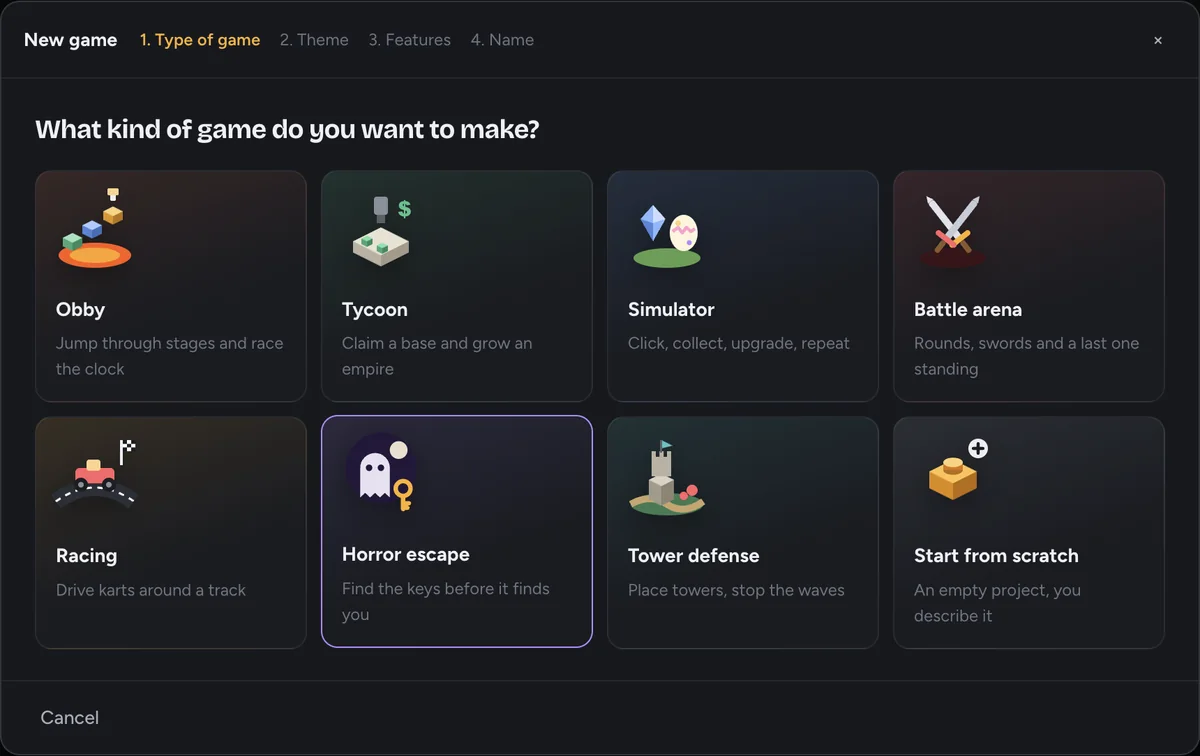
Pick a game and a look
Obby, tycoon, simulator, battle arena, racing, horror or your own idea. Choose a theme and the features you want.
- Eight kinds of game to start from
- Nine visual themes
- Tick the features you want
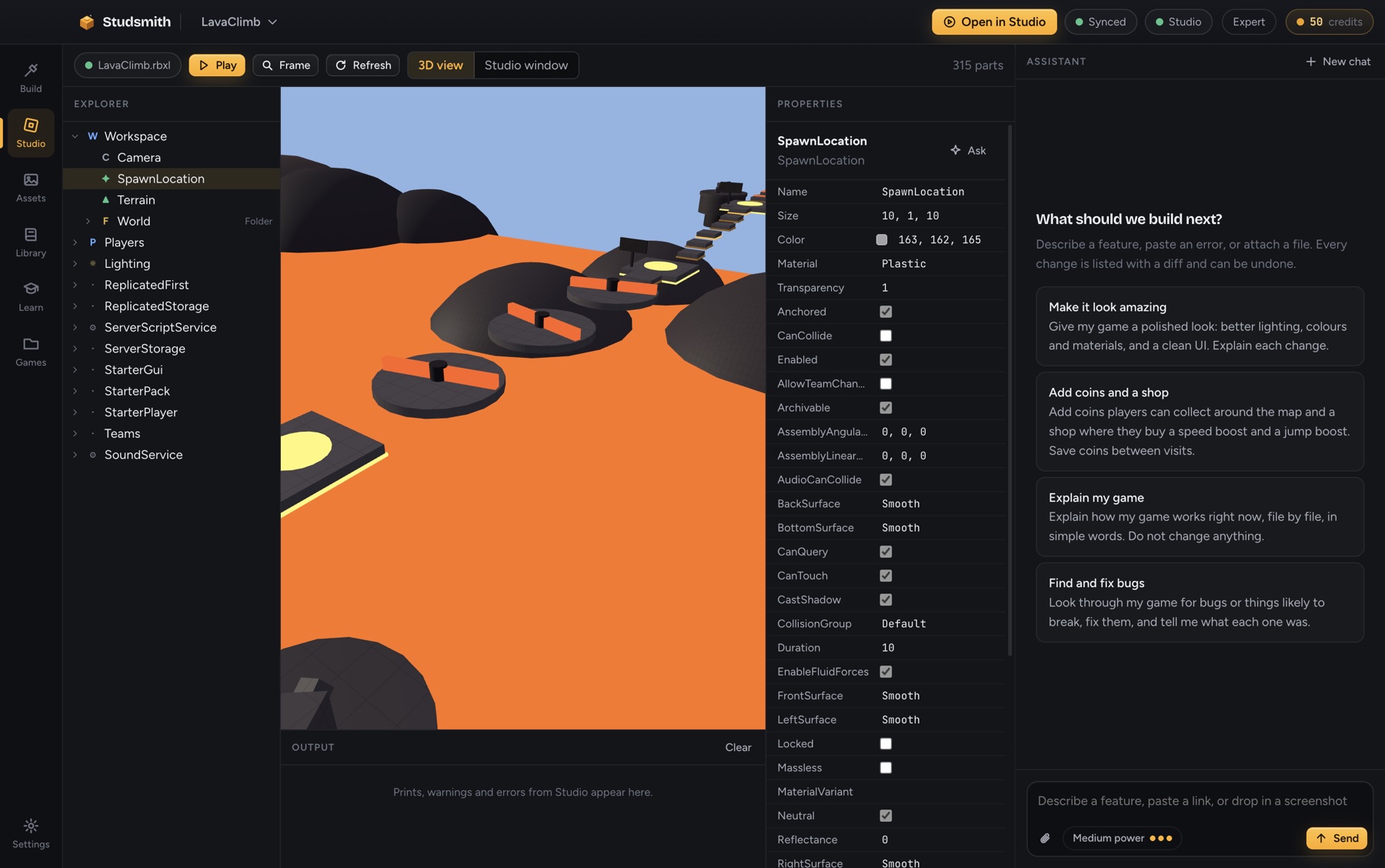
Watch it appear in Studio
Press Open in Studio. Your game is there, already playable. Ask for a change and watch it happen live.
- No copy and paste, ever
- See it in 3D inside Studsmith too
- Undo any change with one click
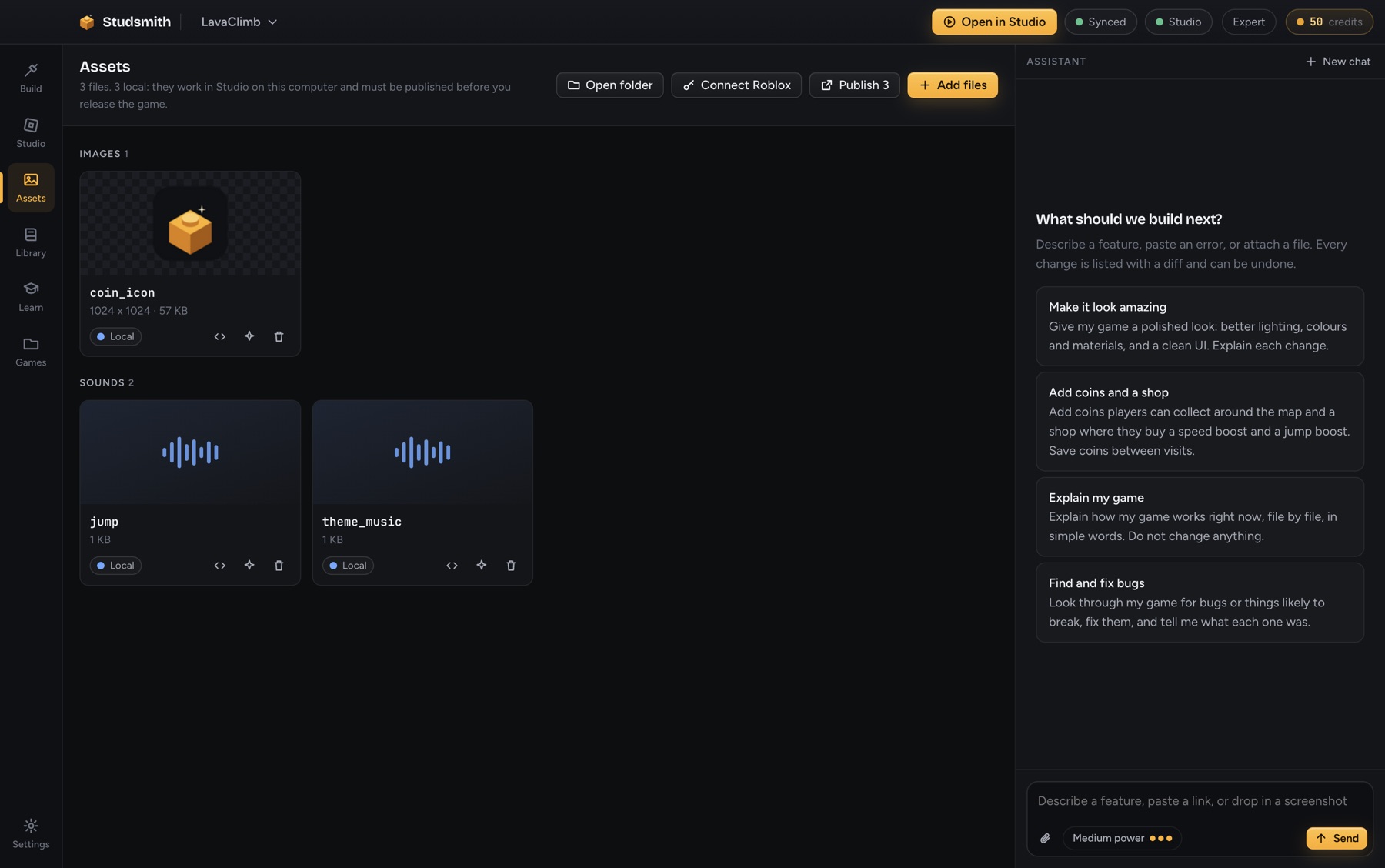
Make it yours
Add your own pictures and sounds by dragging them in. Ask for pets, shops, bosses, new stages. If something breaks, press Fix.
- Your own images and sounds, no upload needed to try them
- Plain words, not code
- Help in beginner-friendly language
If you can describe a game, you can make one.
Good to know
Do I need to know how to code?
No. You describe what you want in plain words. The code is real and yours to read, and Studsmith explains it when you are curious.
What do I need?
A Windows or Mac computer and free Roblox Studio. Studsmith installs everything else by itself.
Is it really free to start?
Yes. Every account gets 50 credits with no card. Starter games do not use any credits to create.
Can I publish my game?
Yes. The game is yours. Publish it to Roblox from Studio whenever you like.
Build your first game today.
Free to start. No card. Works with free Roblox Studio on Windows and Mac.