 Studsmith
Studsmith vs Claude Opus with Claude Code and MCP, for Roblox.
A general coding assistant can be connected to Roblox Studio. Studsmith is built for nothing else. Here is what that focus gets you, out of the box.
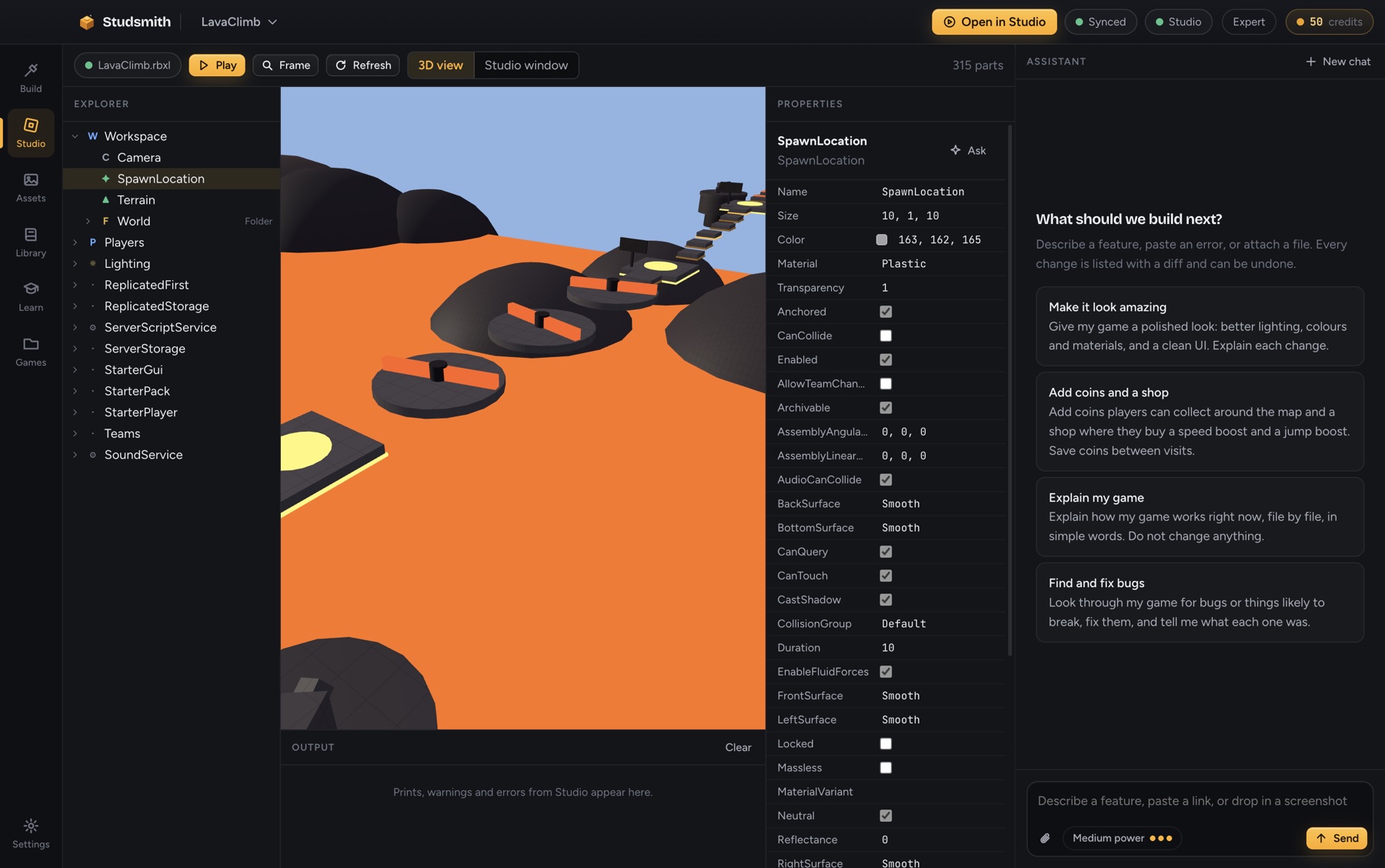
It knows the engine
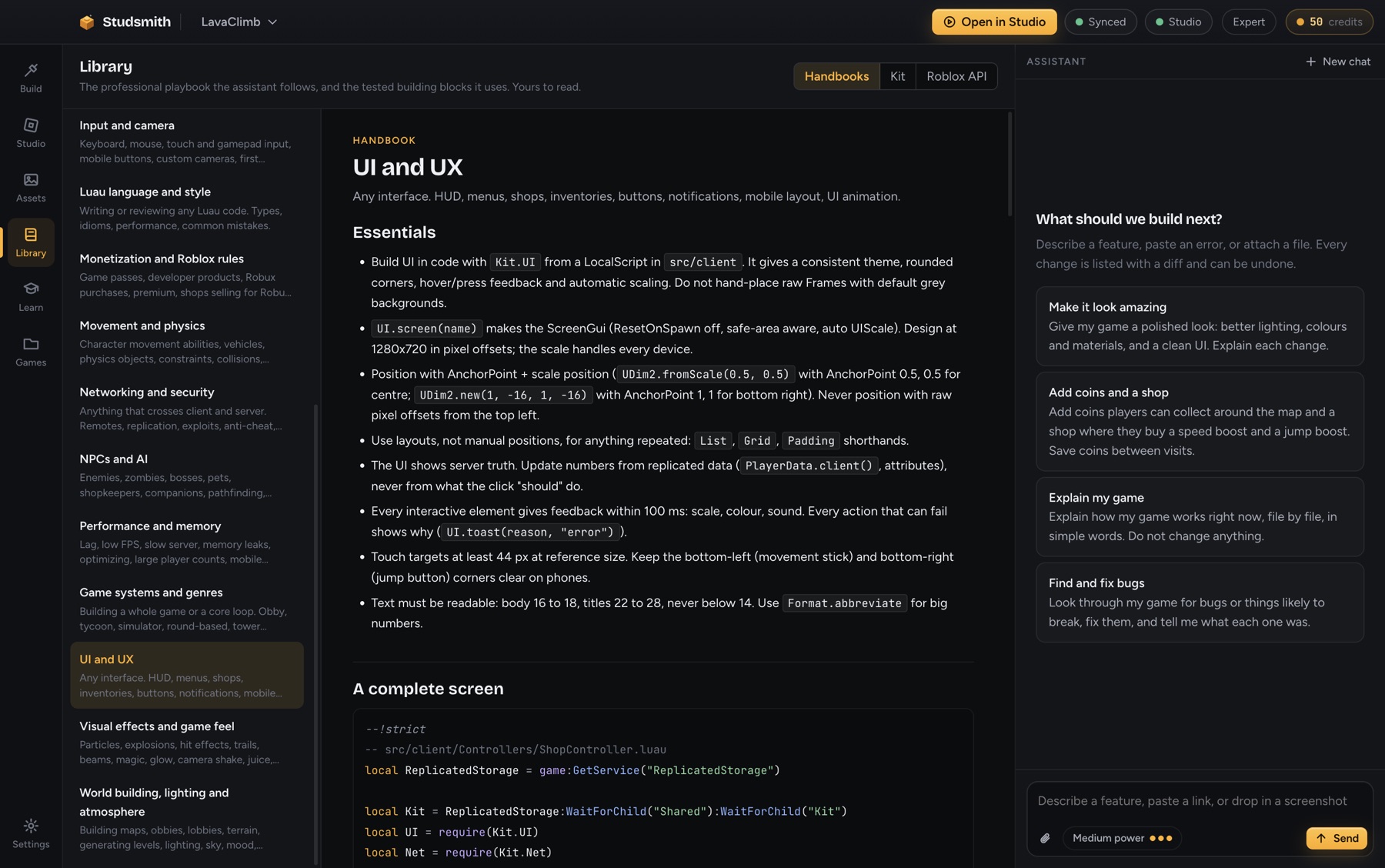
Open the Library and read exactly what the assistant follows: networking and security, saving, UI, effects, animation, combat, performance and more, each with working code.
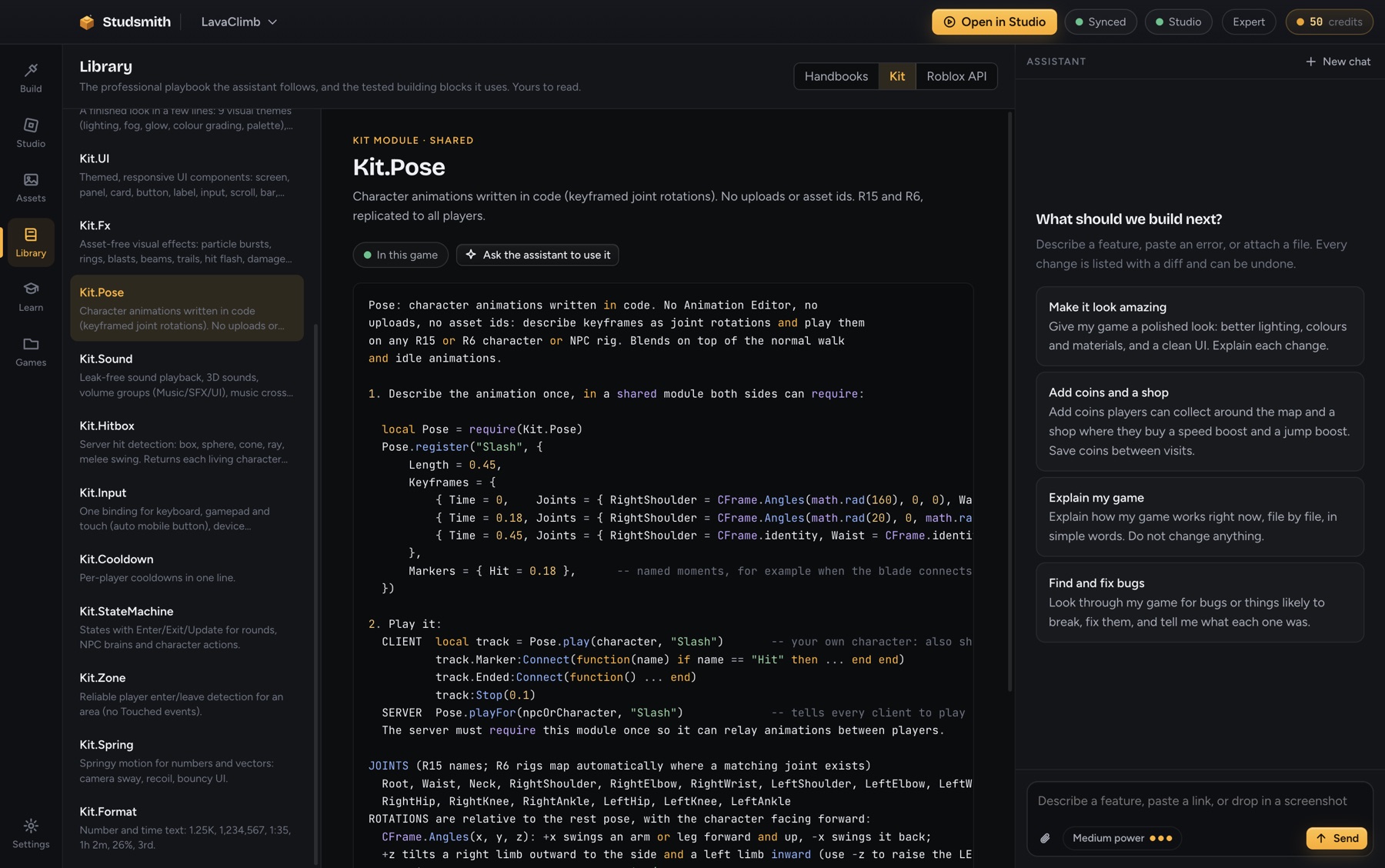
It builds on tested parts
The Kit covers the work every game repeats, so the assistant spends its effort on your game instead of rewriting remotes and save code.
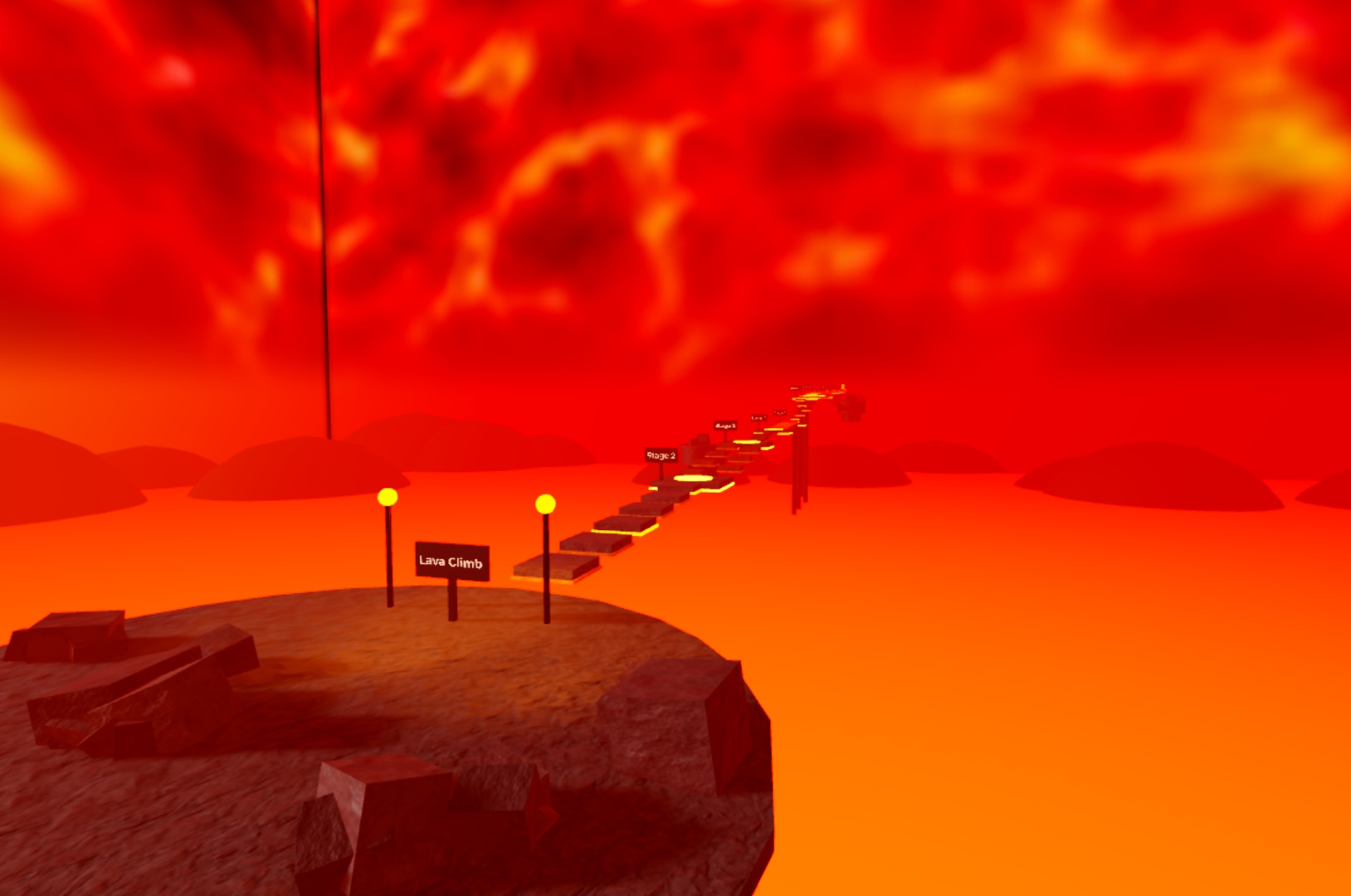
It ships games that look finished
This course was generated from a list of stages with the Lava theme: lighting, lava sea, volcanic hills, signs, lamps, scenery and a free Creator Store skybox, all placed automatically.
Built in, not bolted on.
| Studsmith | Claude Opus + Claude Code + Studio MCP | |
|---|---|---|
| Roblox knowledge | Ships with 18 Roblox handbooks written for the job, attached automatically by topic, with every code example type-checked against the engine. | Works from general training. Engine-specific practice is whatever it remembers or you paste in. |
| API accuracy | The complete engine API is inside the app. Every file is linted, checked against the real class, member and enum list, and type-checked before it is accepted. | Writes API calls from memory. Checking is up to the tools you install and remember to run. |
| Testing | After a build it presses Play itself, reads server and client output, stops the game and fixes what it finds. Automatically, every time. | Can run a playtest when you ask and have the connector set up. Not part of every change by default. |
| Finished-work gate | Work is not handed over until the whole project passes the checks. Failures go straight back to be fixed. | Reports done when it decides it is done. |
| Building blocks | A tested library of 16 modules: validated networking, session-locked saving, UI components, effects, hitboxes, world themes and more. | Writes the plumbing again for each project. |
| How games look | Nine complete visual themes (lighting, fog, glow, palette, scenery, backdrop) and starter games that are finished on first launch. | No art direction built in. Default lighting and baseplate unless you direct it. |
| Animation and effects with no assets | Code-driven character animation and a full effects kit that need no uploads or asset ids, working on current and classic avatars. | Needs animation and image ids you create and upload yourself. |
| Free Creator Store assets | Searches the Toolbox for free, well rated models, skyboxes, decals and audio, inserts them with scripts stripped for safety, and builds them into the game. | Can call an insert tool when you set one up and give it an id. |
| Your own images and sounds | Drag files in and they work in Studio immediately. Code uses them by name. Publish later with one button; the code does not change. | Upload each file by hand, wait, copy the id, paste it into code. |
| Studio inside the tool | A live 3D view of the place, explorer, editable properties, Output, Play and Stop, or a mirror of the Studio window. | A terminal. Studio is a separate window. |
| Project memory | A generated project map on every step (modules, functions, remotes, tags, data stores) plus a design record, so long projects stay consistent. | Re-reads files to rebuild context. Consistency depends on what fits in the conversation. |
| Setup | One installer. It installs its own toolchain and the Studio plugin, and connects by itself. | Install a runtime, the CLI, a Studio connector and its plugin, and configure them to talk to each other. |
| For beginners | A new-game wizard, guided mode and built-in lessons. Explains every change and says exactly what to press. | Built for people who already work in a terminal. |
| Paying for it | Simple monthly credits. No API keys, no per-token bills, and the free tier needs no card. | Subscription or per-token billing designed around general software work. |
Comparison of what each provides out of the box for Roblox development as of October 2026, using Claude Code with Roblox’s Studio MCP server in a standard setup. Studsmith is an independent product and is not affiliated with Anthropic or Roblox. Claude is a trademark of Anthropic.
General assistants are built to write any software. Studsmith is built to finish Roblox games.
Build your first game today.
Free to start. No card. Works with free Roblox Studio on Windows and Mac.